[VC-01] First Steps Using Sub-agents in Claude Code
My first article from the "Vibe Coding with Claude Code" series
Author: Goon • Published: August 03, 2025 (in Vietnamese)
I plan to document and share all the experience gained from using Claude Code in the “vibe coding” process for the DevPocket.app application! (called “vibe coding” because I only focus on giving commands, not reviewing code much anymore - don’t know if this will produce results 😂)
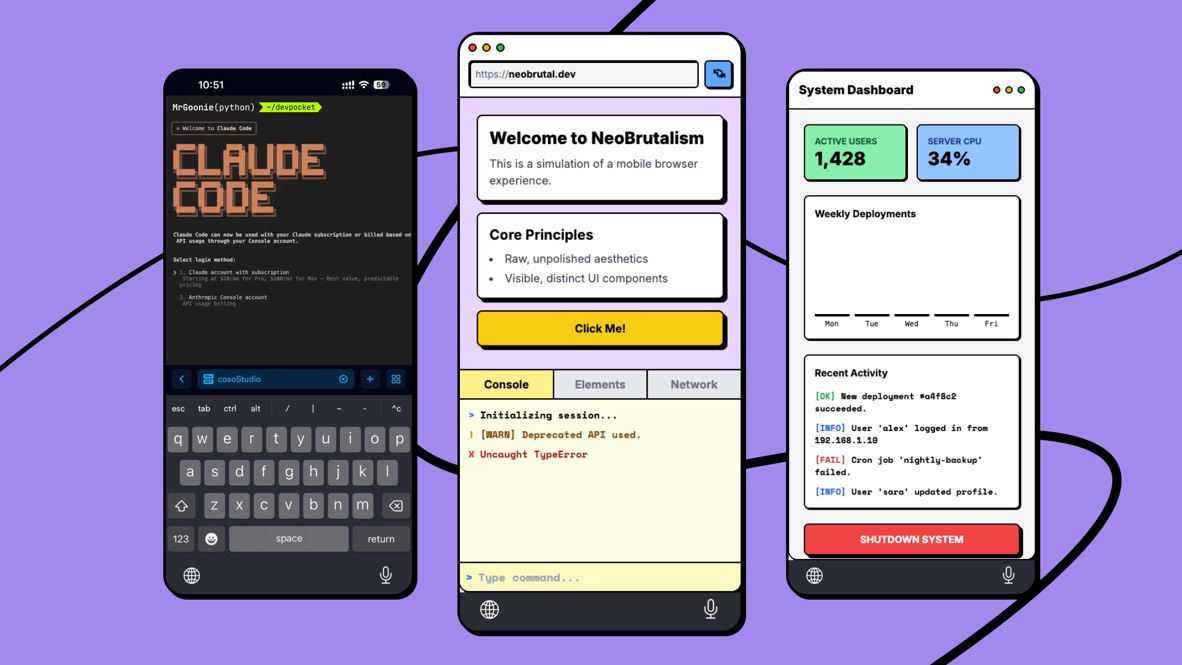
DevPocket.app - Time to ditch the laptop & code on your pocket!
This series is expected to have around 8 articles:
[VC-01] First Steps Using Sub-agents in Claude Code
[VC-02] Everything About Claude Code’s Tool Set
[VC-03] How to Write Prompts When “Vibe Coding”
[VC-04] Subagents from Basic to Deep Dive: I was wrong!
[VC-05] “Tricking” Subagents: Optimizing System Prompts!
[VC-06] Commands & Hooks - Increase Claude Code Efficiency
[VC-07] Vibe coding the UI beautifully?
[VC-08] Claude Code for Sales & Marketing
Today we’ll go through the first steps when using Sub-agents in Claude Code - your own team of agents with each agent specializing in a different task.
This is a very powerful feature of Claude, but as I mentioned in the previous article, exploiting it effectively is really not simple.
In this article, we’ll dissect how to build effective sub-agents and avoid the most common mistakes based on my personal experience.
(*) Special note: I have important side notes at the end of the article! 😜
Thanks for reading! Subscribe for free to receive new posts and support my work.
1. How Do Sub-agents Work? Understanding the Information Flow Correctly
This is the most important part that many people often skip or don’t know (including me hehe)
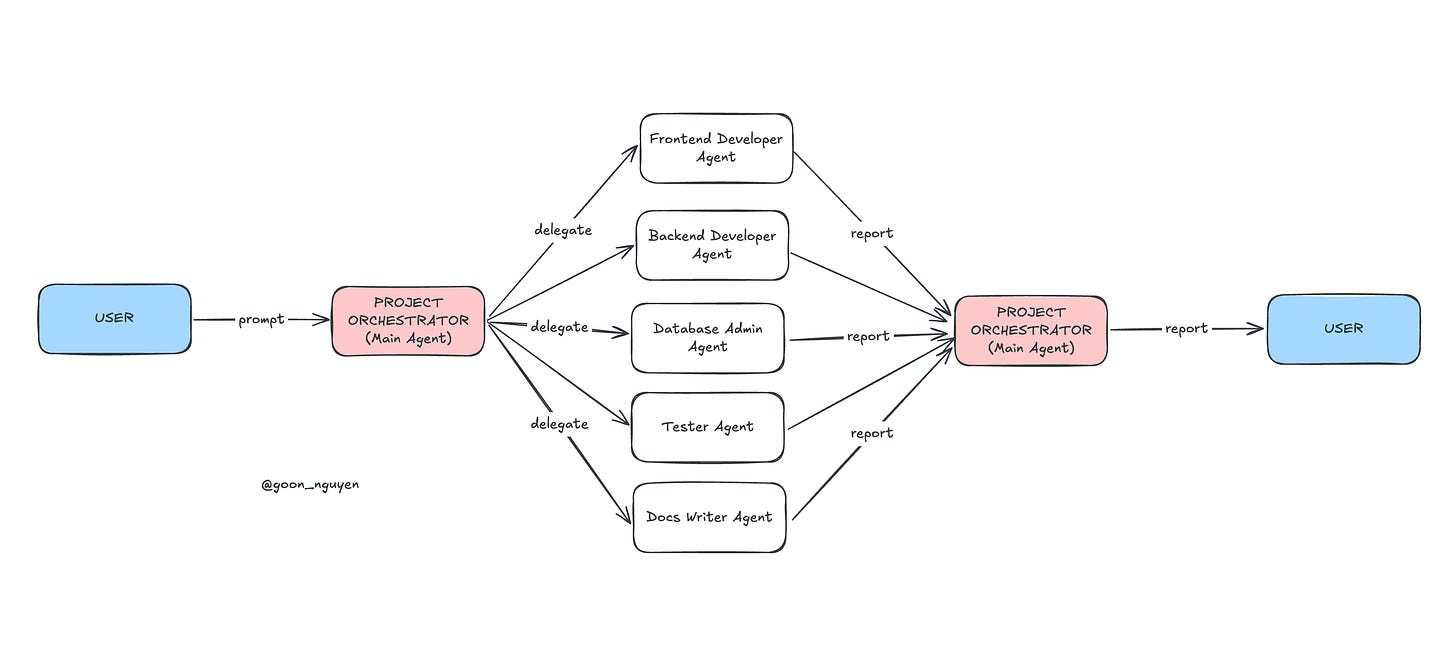
Always start from the Main Agent (Agent Leader) and delegate tasks to other agents in the project
The workflow of sub-agents doesn’t go directly from them to you, but is a chain of delegation:
You give a command (prompt) to the Main Agent.
The Main Agent, based on your command, decides and commands the appropriate Sub-agents.
Sub-agents operate independently to execute tasks.
After completion, Sub-agents report results back to the Main Agent.
Finally, the Main Agent consolidates information and reports back to you.
👉 Core point: Sub-agents don’t communicate with you, they communicate with the Main Agent. Misunderstanding this leads to writing wrong prompts, wrong workflows, and not achieving desired results.
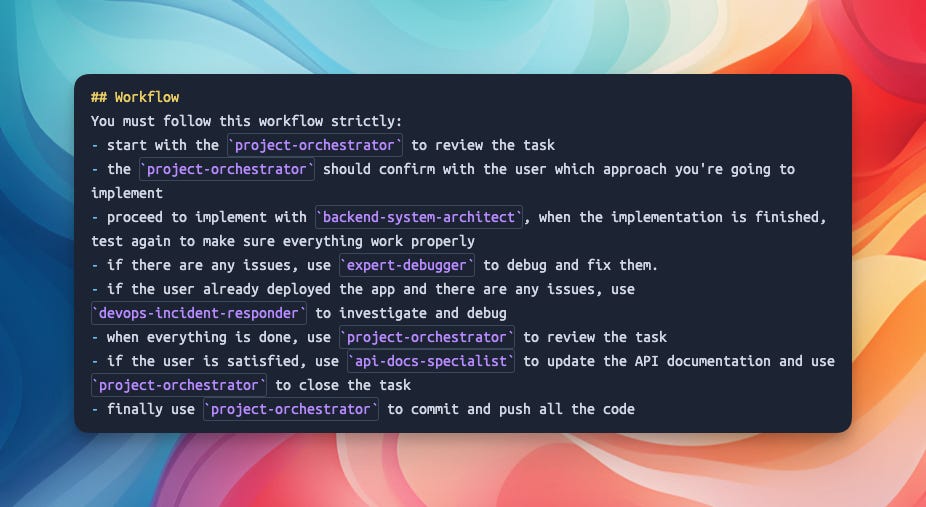
For example, when I first tried it, I created 2-3 agents right away, but when prompting I didn’t see any agents being summoned at all. Turns out you need to create a main agent first (like a leader), then write a system prompt to be able to summon it to assign work, after which it will delegate down to the agents in the team to work.
Note:
Agents DO NOT share memory with each other, they work in separate sessions, and only report back when tasks are completed.
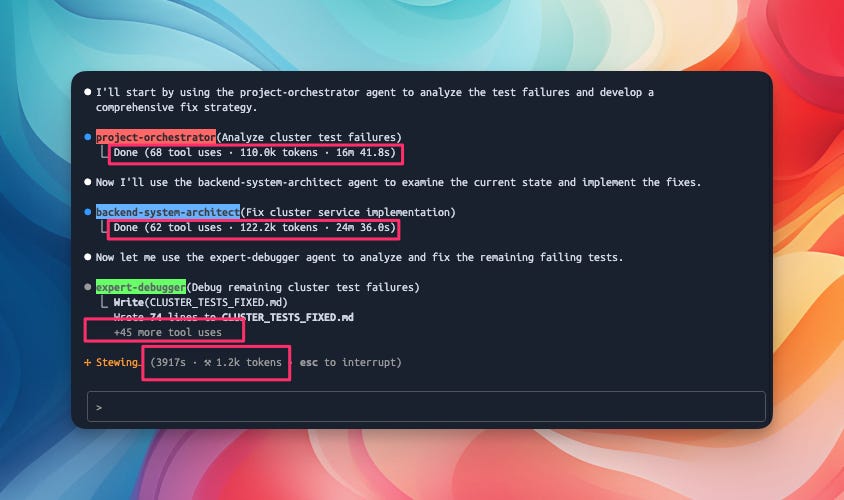
This leads to the phenomenon that using “sub agents” in Claude Code consumes quite a lot of tokens (much more than using Claude agent as before).
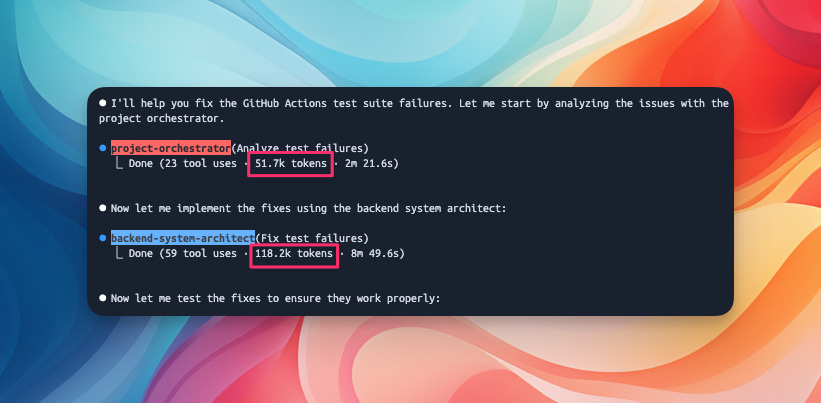
Note: take time to read Anthropic’s “user guide” carefully, don’t just feed it to AI for summarization or feed it directly to Claude Code for it to use. We need to understand the “essence of the problem” to apply it effectively.
2. Two Mistakes I Made Working with Sub-agents
From misunderstanding the information flow above, we often make these 2 big mistakes:
Mistake 1: Not understanding that the content of files in /.agent is the “System Prompt”
What you write in a sub-agent’s configuration file (e.g., .agents/hello-world) is not a “user prompt”. It is the System Prompt - defining the role, purpose, core behavior, and when it should be activated.
Mistake 2: Instructing Sub-agent to respond to the wrong audience
Because sub-agents report to the main agent, you must instruct it how to communicate with its “superior”.
For example, in the sub-agent’s prompt, instead of writing “Please respond to the user...”, you should write: “Hey Claude (Main Agent), please respond to the user with the following content...”. This helps the Main Agent understand the message and relay it back to you accurately.
3. Advantages and Disadvantages of Sub-agents
👍 Advantages:
Context preservation: As mentioned above, agents don’t share MEMORY, each sub-agent runs in its own “context window”, which consumes more tokens but this also has benefits - it doesn’t “pollute” your main conversation. And it’s extremely useful when handling large and complex codebases.
Specialization: You can create extremely specialized agents for each specific task (e.g., agent specialized in refactoring code, agent specialized in writing tests, etc.)
Reusability: Once created, you can reuse these agents in many different projects.
Permission control: You can limit the tools that a sub-agent is allowed to use, enhancing security.
High focus: Because they only do one thing, sub-agents are less likely to “hallucinate” or make errors.
👎 Disadvantages:
Context isolation: This is the flip side of the above advantage. Because there’s no conversation history, the Main Agent must provide all necessary information in a single command.
Difficult to debug: The internal workflow of sub-agents is abstracted into notification messages. When they finish, all activities disappear, making finding and fixing errors more difficult (you can’t just sit and stare at the screen watching what they do all the time).
Choice overload: When you have too many sub-agents, the Main Agent can be “confused” about which agent to call. Writing clear and accurate descriptions is extremely important.
Dependency Coupling: If you create a chain of agents dependent on each other’s results, changing one agent can break the entire chain.
VERY SLOW task processing time: just like how organizations work, a cumbersome system means long processing times due to having to go through many approval layers - some tasks can take up to an hour...
Conclusion
Sub-agents are an extremely powerful feature, opening up a new era of automation in programming. It allows us to build complex multi-agent systems but in an organized way. Later, other AI systems (not programming) will also have similar operational methods.
The key to mastering this technology is understanding the information flow and thinking in terms of delegation.
Don’t just assign tasks, show your agents how to work and report back.
Personal Opinion
(Special Notes I mentioned at the beginning hehe)
Conspiracy theory (reminder: this is MY PERSONAL OPINION - just for fun - don’t take it seriously):
“I feel like Subagents were created... just to consume more $ tokens from us haha”
NOT every task needs to use subagents! Why? Read the “disadvantages” section above again. For small tasks, prompt CC directly for faster processing and save tokens. Only use agents for difficult tasks with complex processing flows. Don’t use a butcher’s knife to kill a chicken.
Finally, the first article in this “Vibe Coding” series should have started from the most basic things, but because everyone was so interested in the “Subagents” topic, I wrote it first. In future articles I’ll write more about ADVANCED techniques when using “Subagents” and “tricks” (*) for effective use.
But remember:
NOT every task needs to use sub-agents!
NOT every task needs to use sub-agents!
NOT every task needs to use sub-agents!
(Important things are repeated 3 times 😁)
(*) Friends on Facebook tease me that I often share “tricks” 😂